Clean final code

What does this mean?
This code should meet the best practice standards below (for SQL and R). If you are using a different language, such as Python, then contact us for advice on the best standards to use when writing code.
There should be no redundant or duplicated code, even if this has been commented out. It should be removed from the files to prevent confusion further down the line.
The only comments left in the code should be those describing the decisions you have made to help other analysts (and future you) to understand your code. More guidance on commenting in code can be found later on this page.
Why do it?
Clean code is efficient, easy to write, easy to review, and easy to amend for future use. Below are some recommended standards to follow when writing code in SQL and R.
How to get started
Watch this coffee and coding session introducing good code practice, which covers:
- key principles of good code practice
- writing and refining code to make it easier to understand and modify
- a real-life example of code improvement from within DfE
Then you should also watch the follow up intermediate session, which covers:
- version control
- improving code structure with functions
- documentation and Markdown
- interactive notebooks
Clean code should include comments. Comment why you’ve made decisions, don’t comment what you are doing unless it is particularly complex as the code itself describes what you are doing. If in doubt, more comments are better than too few though. Ideally any specific comments or documentation should be alongside the code itself, rather than in separate documents.
SQL in Databricks
For guidance on writing Spark SQL code in Databricks, take a look at the ADA guidance site. This walks you through how to create a construct a SQL query in the SQL editor in the Databricks platform.
You may choose to use Notebooks to write your SQL code in Databricks. If so, take a look at the ADA using R, Python and SQL in Databricks guidance.
If you have code that was written in T-SQL (for example in SSMS), you may need to make some adjustments to the code to get it to run in Spark SQL. Take a look at the what this means for exisitng code section on the ADA page for help with this.
R
When using R, it is generally best practice to use R projects as directories for your work.
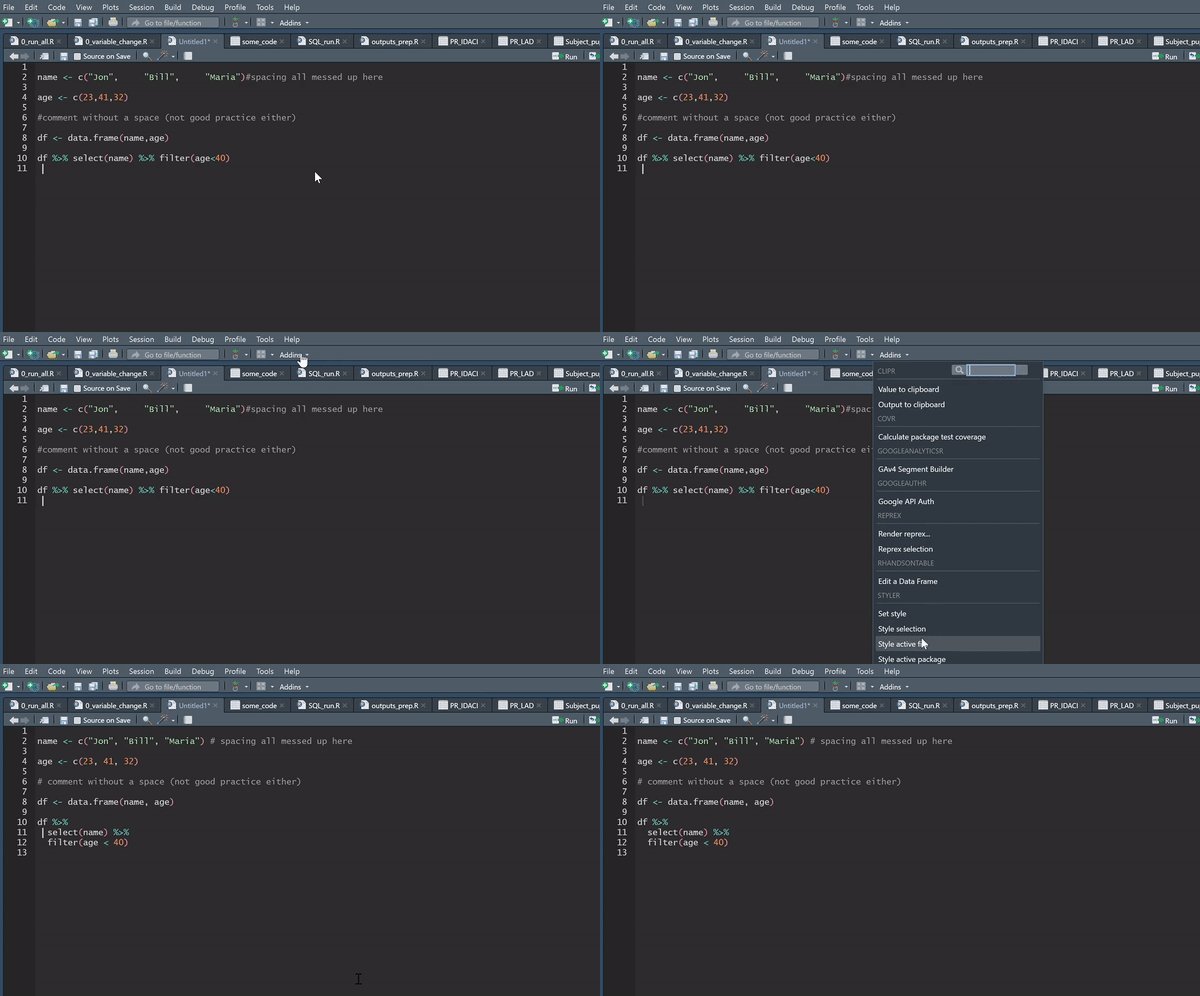
The recommended standard for styling your code in R is the tidyverse styling, which is fast becoming the global standard. What is even better is that you can automate this using the styler package, which will literally style your code for you at the click of a button, and is well worth a look.
There is also plenty of guidance around the internet for best practice when writing efficient R code.
To help you standardise your code further, you can make use of the functions contained within our dfeR package. The package includes functions to standardise formatting and rounding, to pull the latest ONS geography lookups, and to create a pre-populated folder structure, amongst many other things.
HTML
If you ever find yourself writing HTML, or creating it through RMarkdown, you can check your HTML using W3’s validator.